
Your day as a ring.
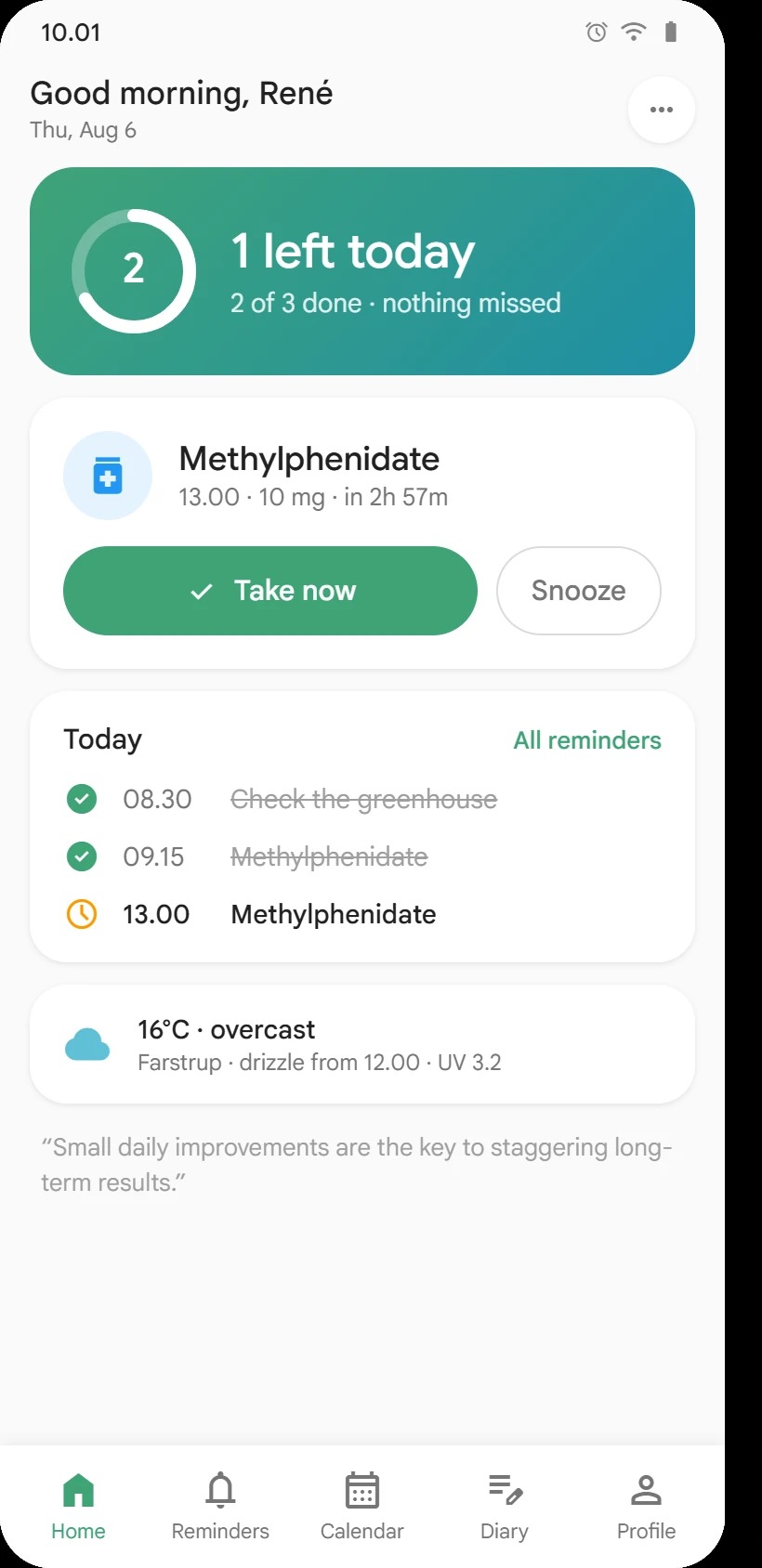
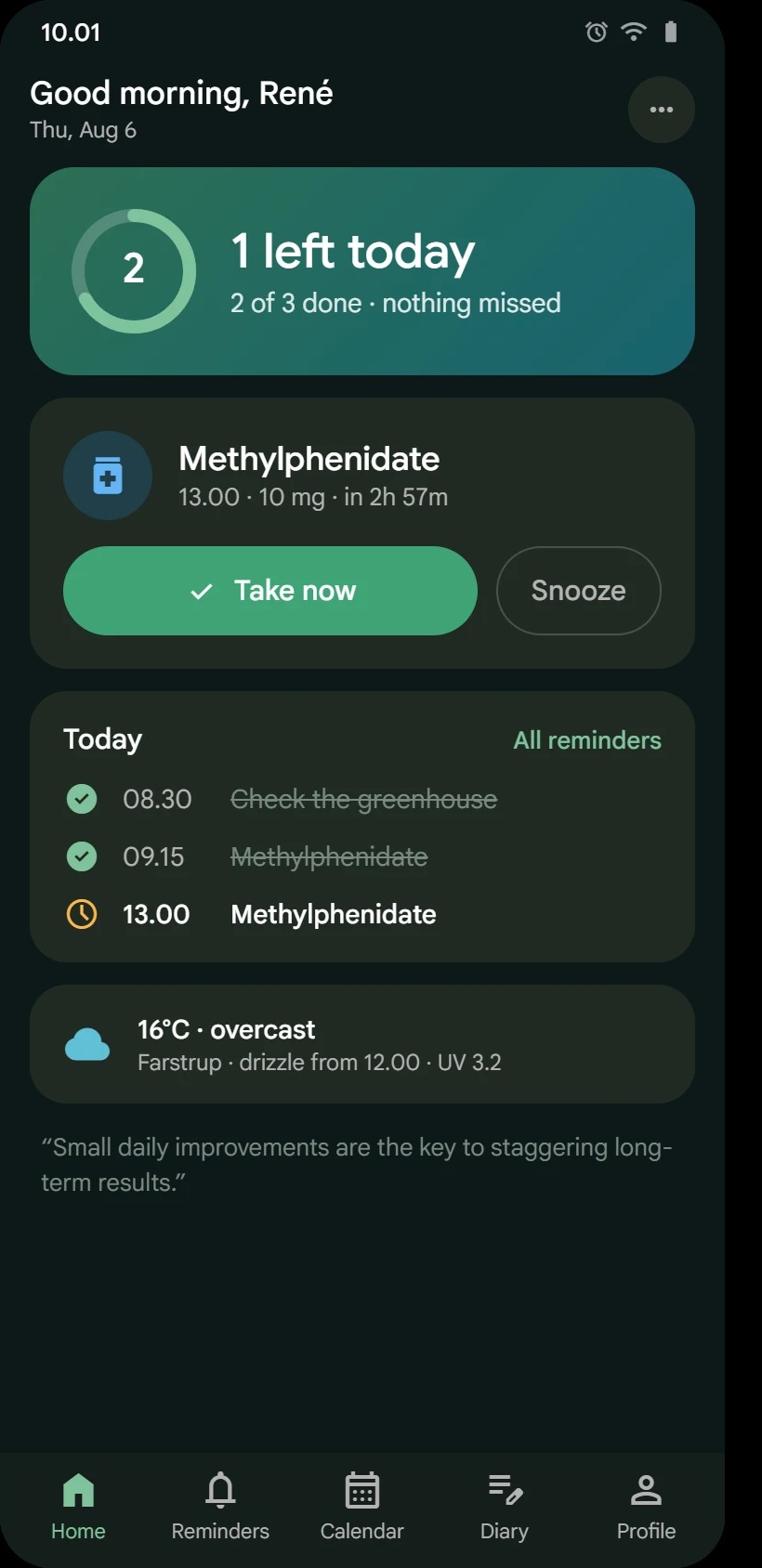
Home opens on what matters now: the next reminder, swipe to mark it done, and a ring that fills as the day gets done.
MemoNudge helps you manage reminders, diary notes, routines, breathing breaks, and gentle insights without turning your day into another dashboard.
The same reliable reminders, in a softer, rounder design built around your day. It is an opt-in beta: turn on New design in Settings → Appearance whenever you like, and switch back just as easily.
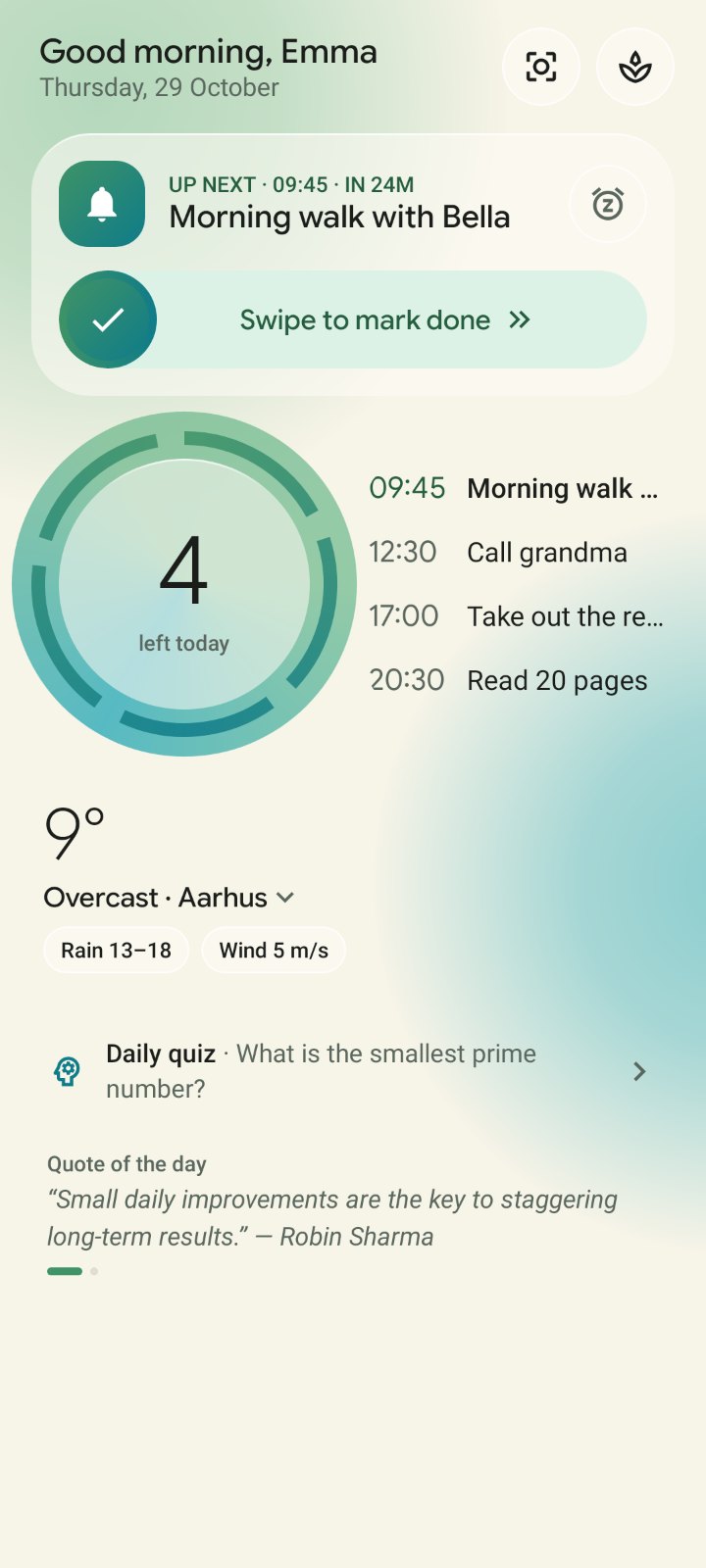
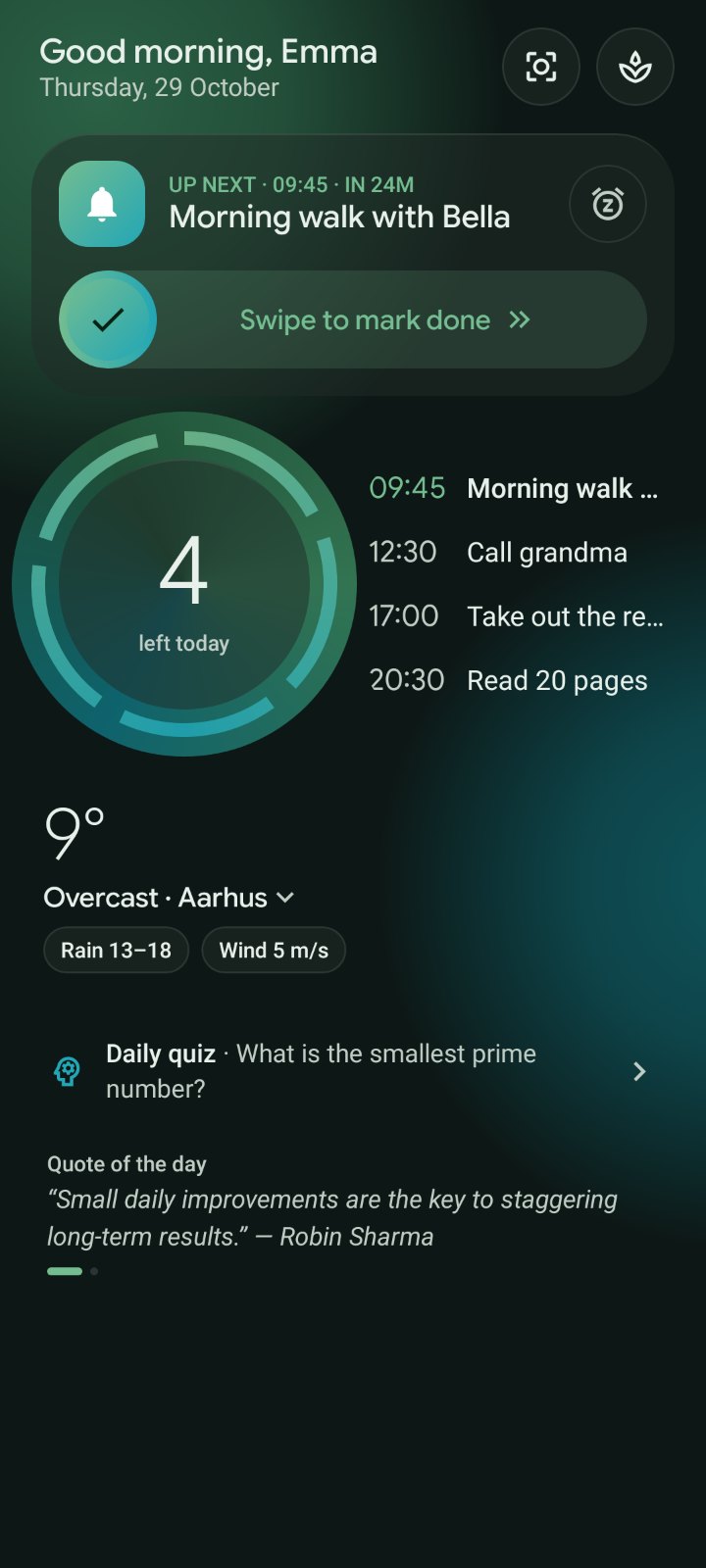
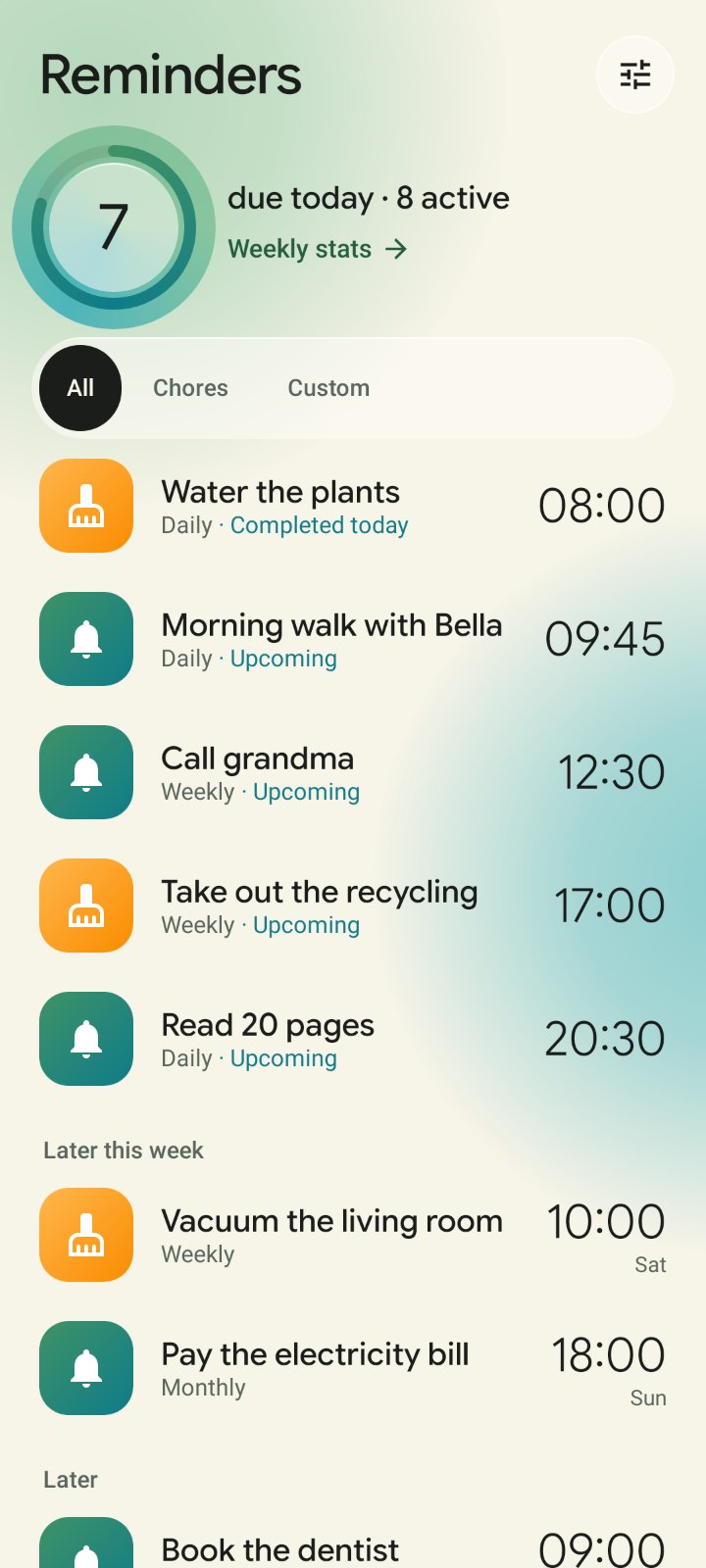
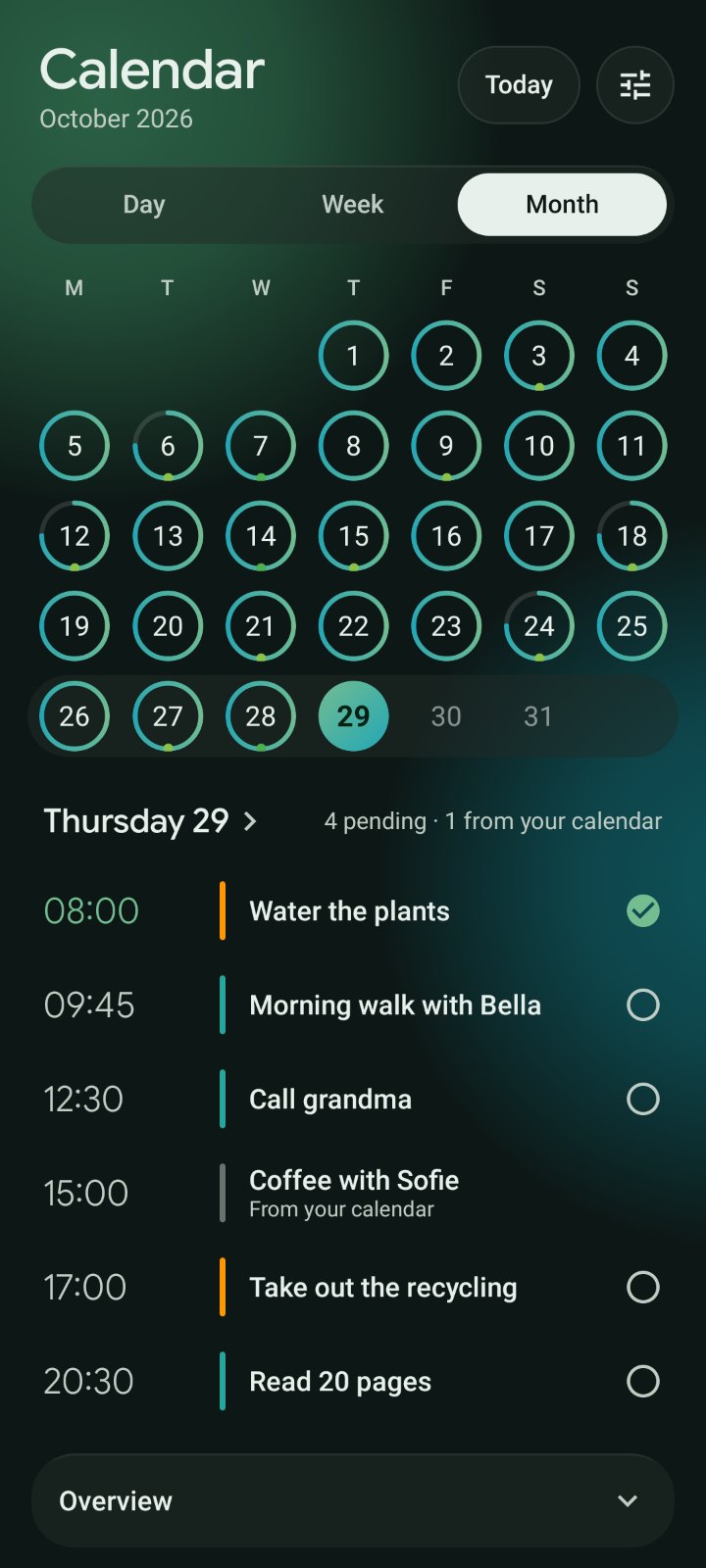
Home opens on what matters now: the next reminder, swipe to mark it done, and a ring that fills as the day gets done.
Reminders, calendar, diary, insights, the alarm screen and your home-screen widgets all share the same calm, rounded look.
A cleaner reminder editor describes your schedule in plain words, like “Every Mon–Fri at 09:15”, and keeps the rarer options one tap away.
The new design is off until you turn it on, works in light and dark mode, and joins in with seasonal looks. The classic design stays one switch away.
MemoNudge combines practical reminder reliability with a softer emotional experience: fewer sharp edges, better context, and enough structure to help without taking over.
Custom reminders, chores, and routines are presented with clear status, direct actions, and calm follow-up paths.
Small daily check-ins become useful context for patterns, routines, and wellbeing without feeling like a clinical form.
Breathing Break gives users a local-first guided breathing moment with gentle sound and a visual rhythm designed to reduce friction.
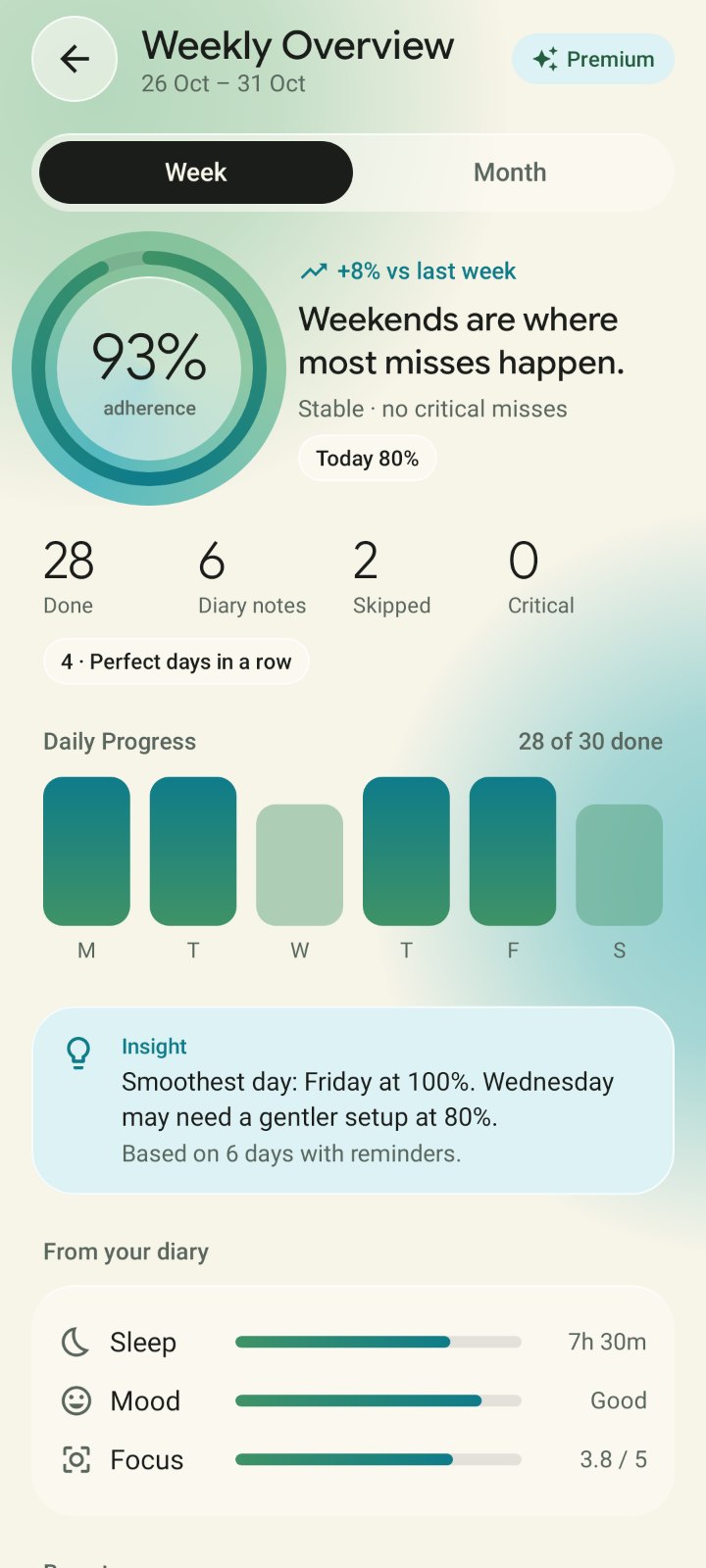
Premium insights focus on weekly and monthly clarity: useful trends, practical recommendations, and no anxiety-driven scoring.
The first public release focuses on the pieces that make everyday use feel calm, readable, and reliable.
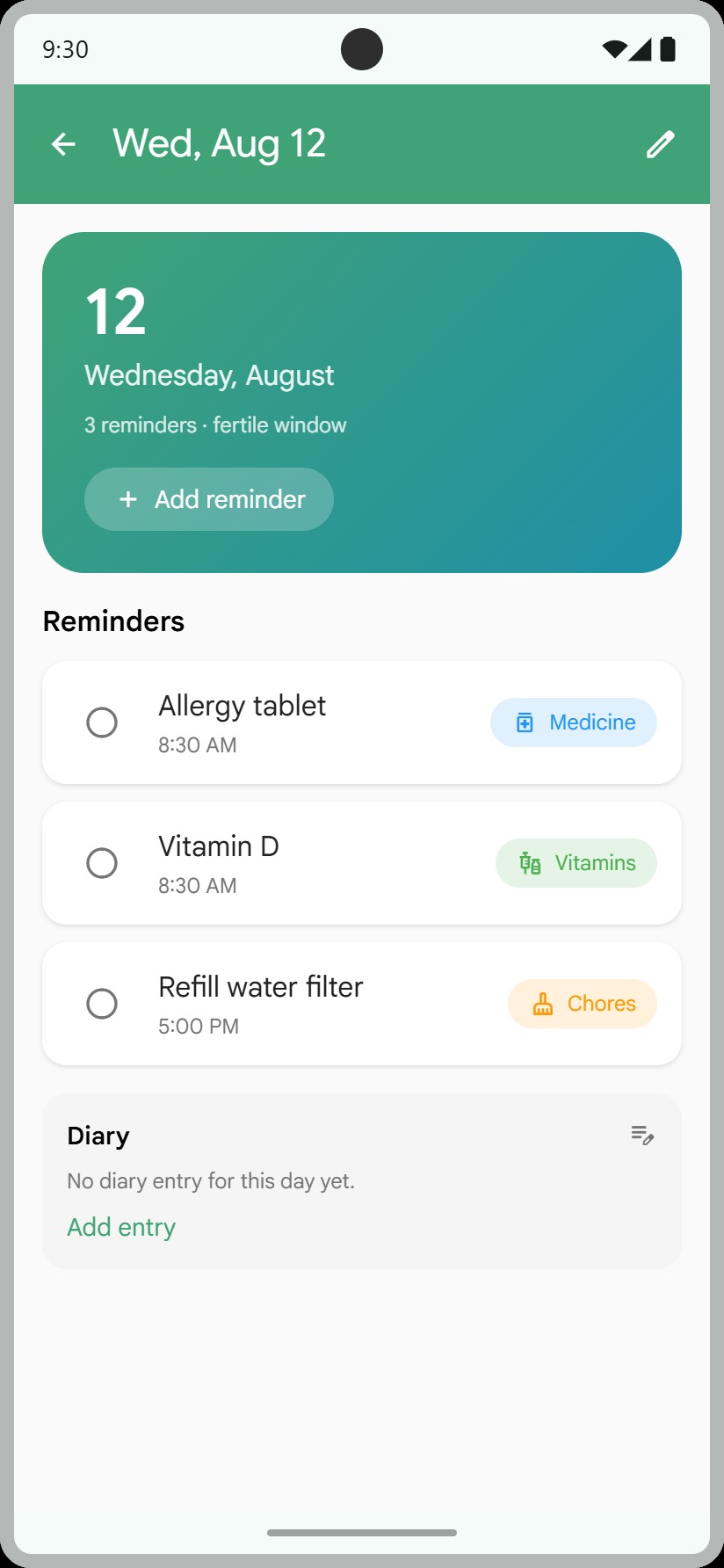
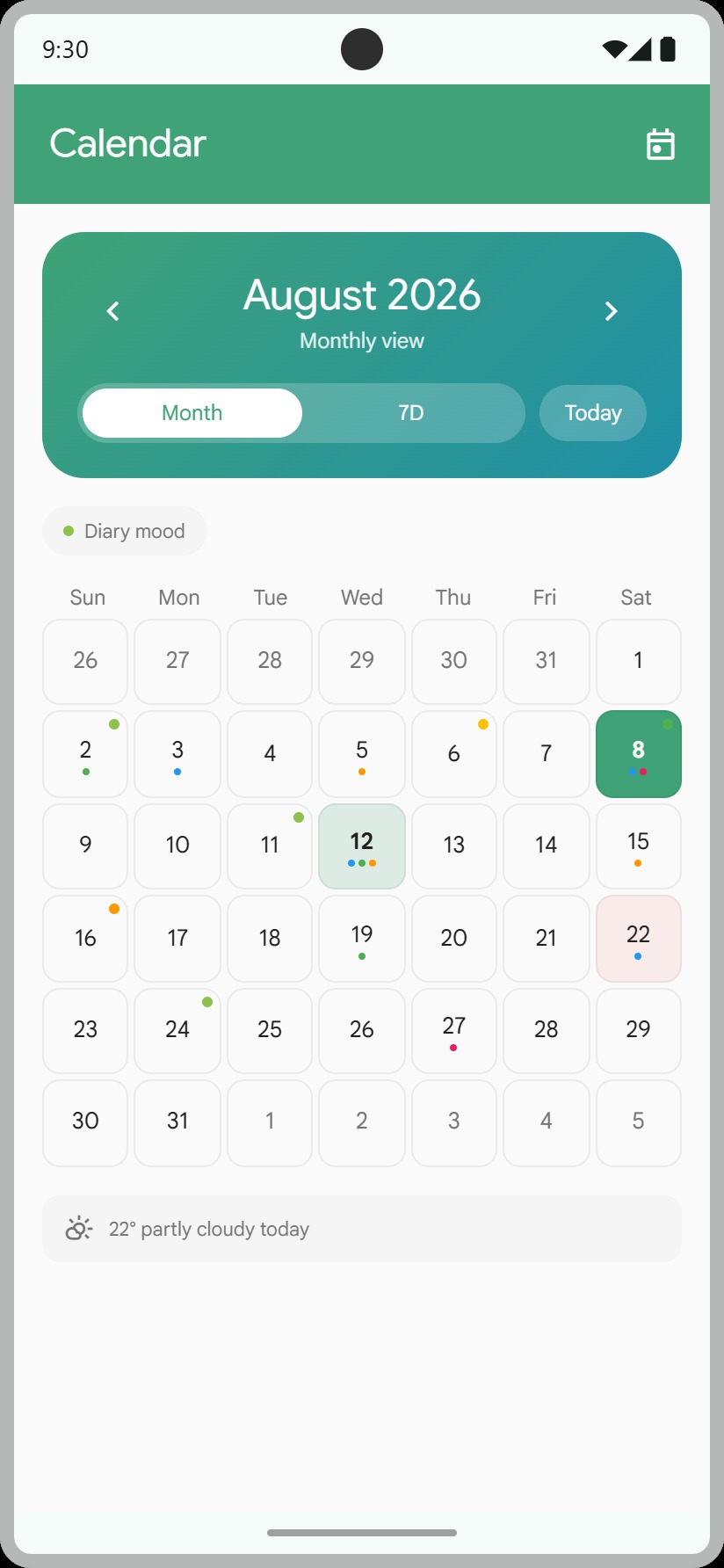
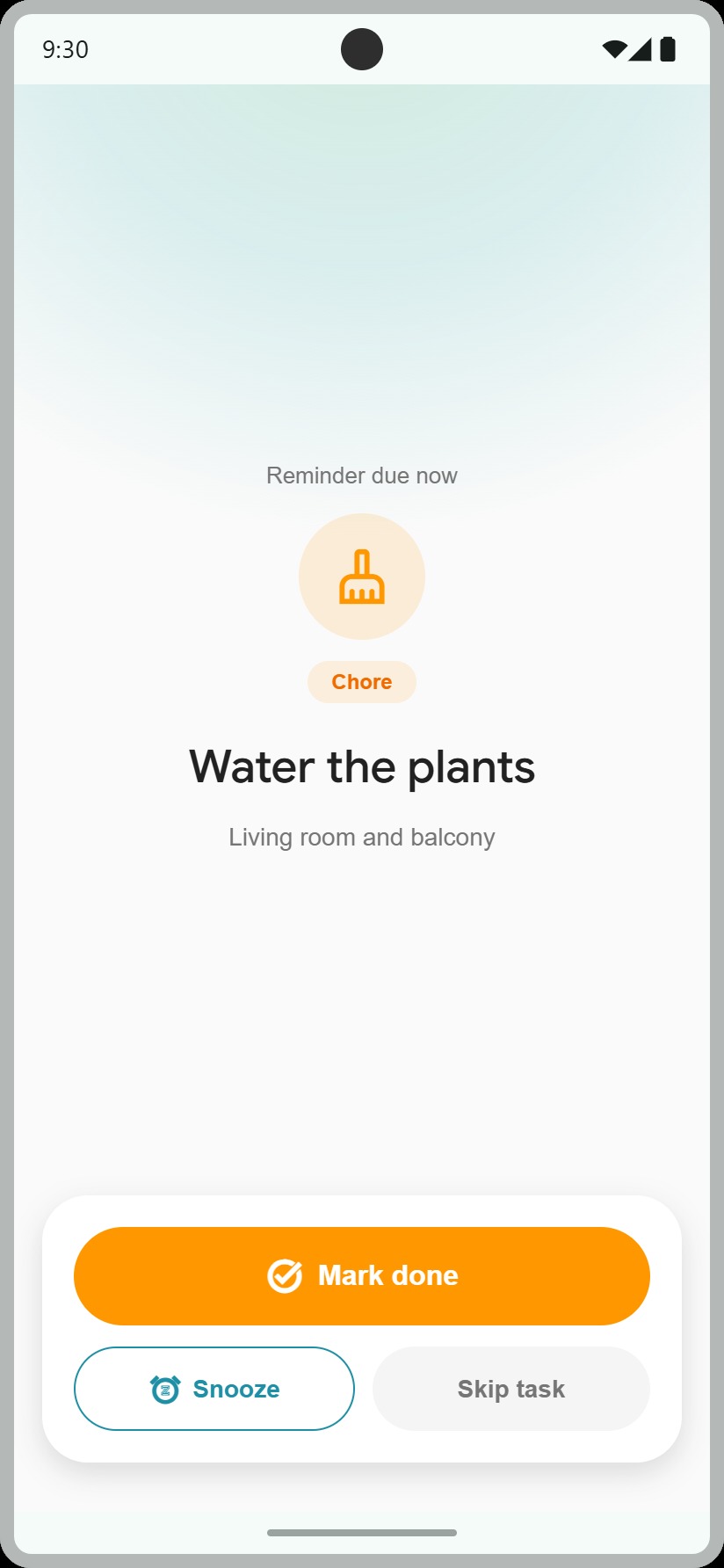
Readable reminder cards, direct completion actions, optional repeat patterns, and clear next-step timing.
Quick notes and structured entries for everyday context, without turning reflection into a heavy task.
A soft planning layer for routines and upcoming tasks, designed for scanning rather than pressure.
A small guided pause with gentle rhythm and sound for low-friction reset moments.
The first time you open MemoNudge each day, a short overview greets you: the weather where you are, what is actually on today, and anything worth planning around. Then it steps aside until tomorrow.
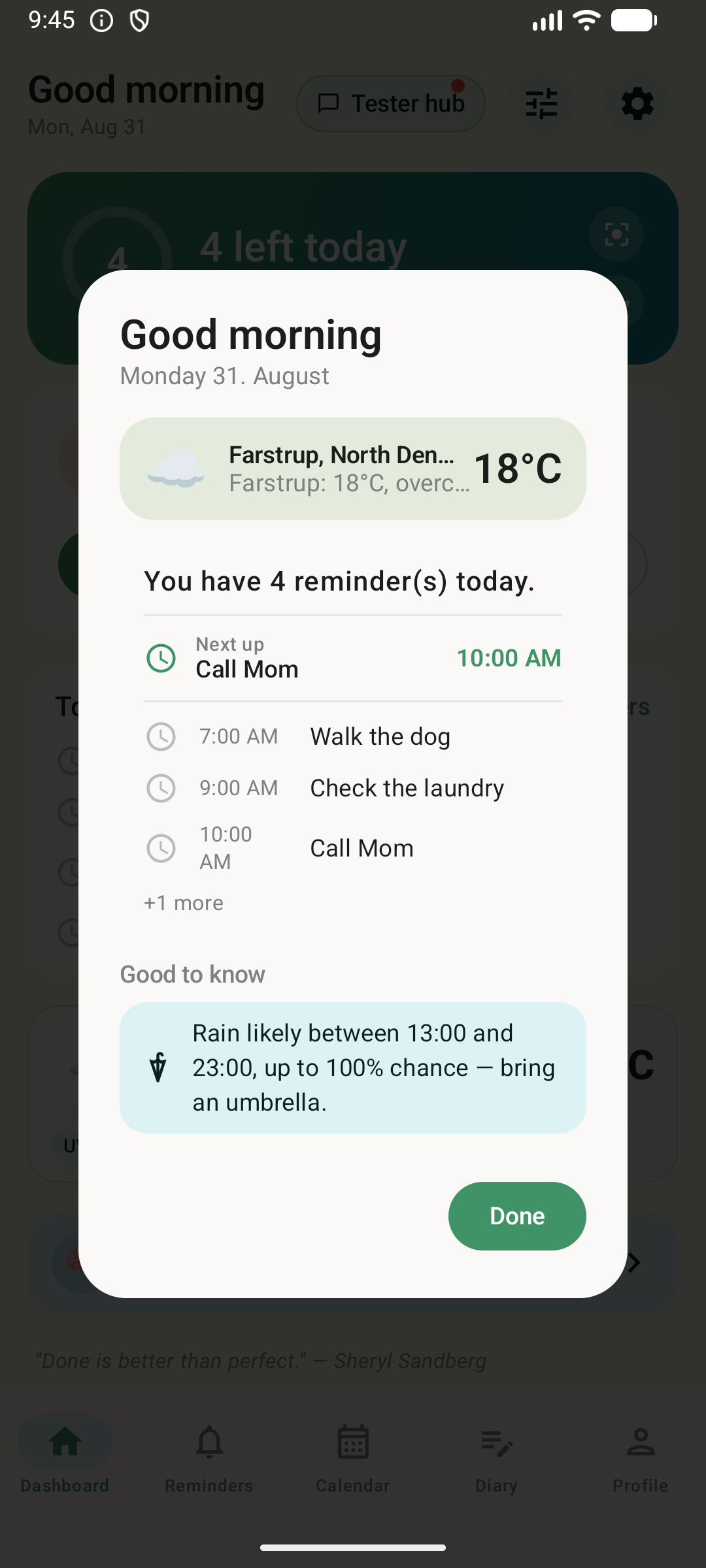
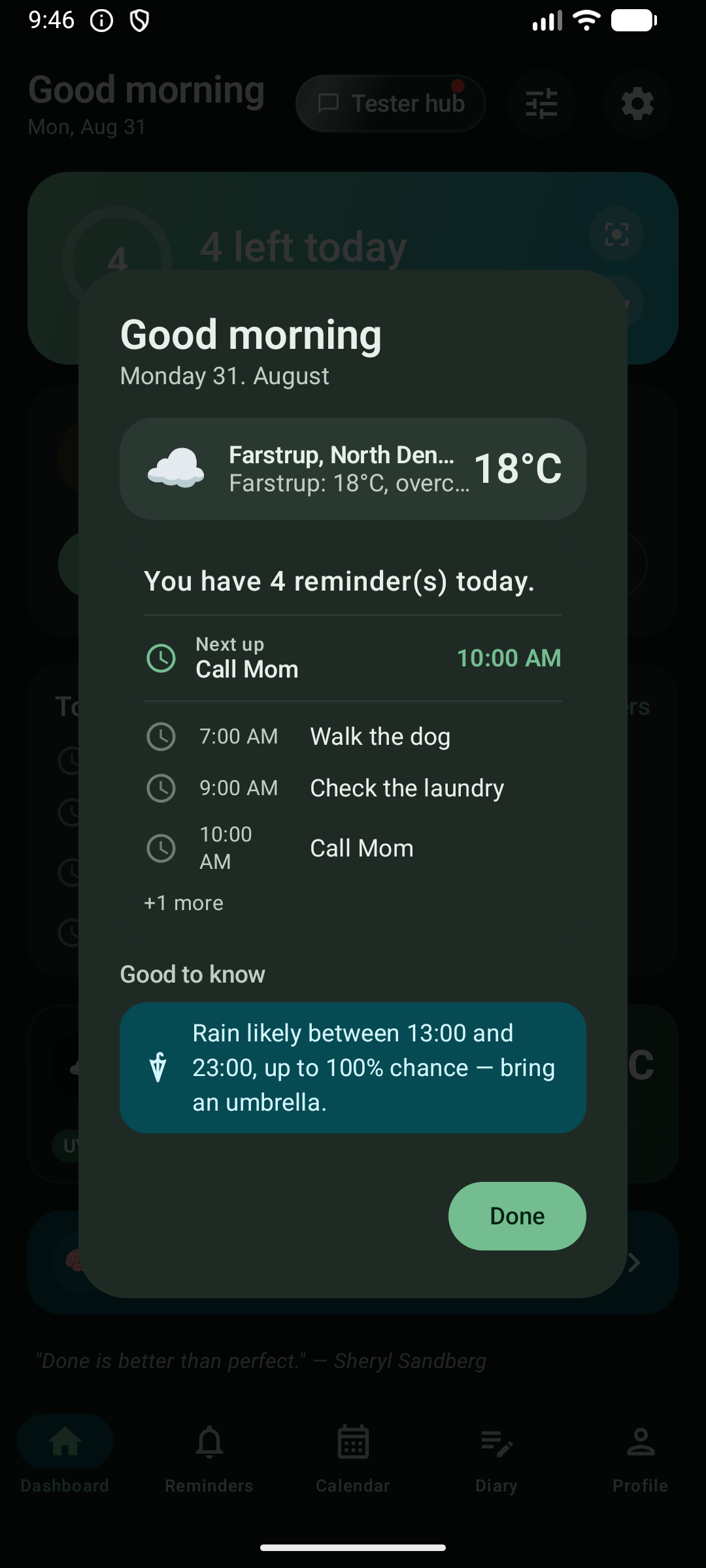
It opens on your first visit of the day and not again until tomorrow. No badge to clear, no second prompt, nothing to dismiss twice.
How much is on, how much is already done, what is coming up next with its time — and the first few lines of the schedule itself, in the same layout as the dashboard behind it.
Not just what it is doing right now. MemoNudge reads the hourly forecast forward and tells you when: “Rain likely between 15:00 and 18:00, up to 82% chance.” An umbrella becomes a decision you make before you leave.
High UV and freezing mornings get the same short, practical line. A quiet day gets none of them — the overview stays as small as the day deserves.
MemoNudge is designed around calm guidance, local-first computation where possible, and user-controlled cloud sync. The product does not need to become invasive to become useful.